


Moley Kitchen
The worlds firstfully robotic kitchen
- Interaction design
- 3D design
- ux/UI design
- Creds control design
- Interface development
Moley robotics
Moley Robotics is company developing a robotic kitchen that can automatically cook any dish from the world's best chefs.
Background story
Following the approval of the initial concept, the project expanded to include the design of a new GUI and interaction system for their first commercial kitchens, requiring a more sophisticated approach to user experience
00. BEFORE WE START
Moley’s recognition
Moley Kitchen made some noise on mass media, and to be fair, the following articles would describe the whole thing way better than we would.

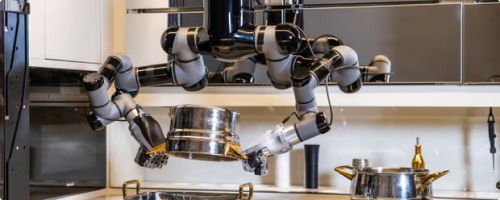
The robot chefs that can cook your Christmas dinner
Business reporters


The robot kitchen that will make you dinner – and wash up too
Wealth correspondent


Meet The Robot Chef That Can Prepare Your Dinner
Tech/Innovation correspondent
01. CONCEPT
“IT should be expensive, and look like it fits within a hotel in outer space”
The interface was developed for a 40-inch touch screen, and it took us more than 3 months just to approve the first design concept. It was the longest concept approval period we've ever had...
There were a lot of options. The idea of having a circular menu was accepted fairly quickly, but everything else became quite a challenge.

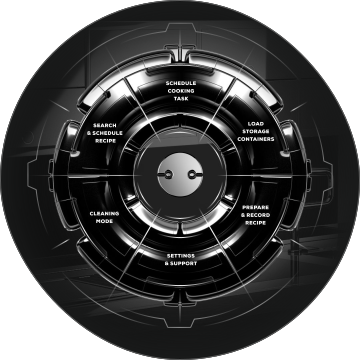
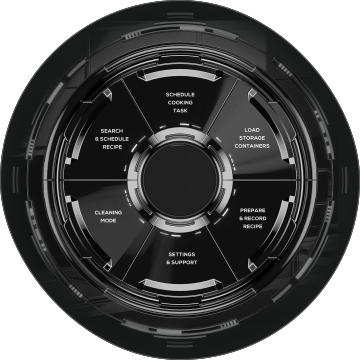
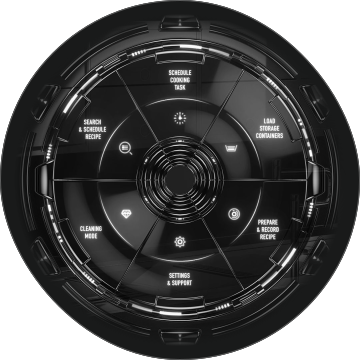
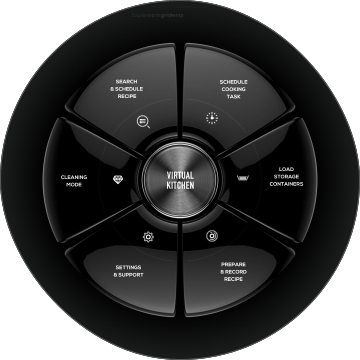
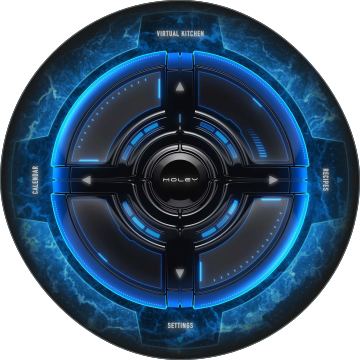
The circular menu was convenient, but a single circular menu on a 40" screen looked small and lonely, and there was an idea: why not display a virtual kitchen on the screen? It solves the issue of filling the screen; And It turned out to be convenient.
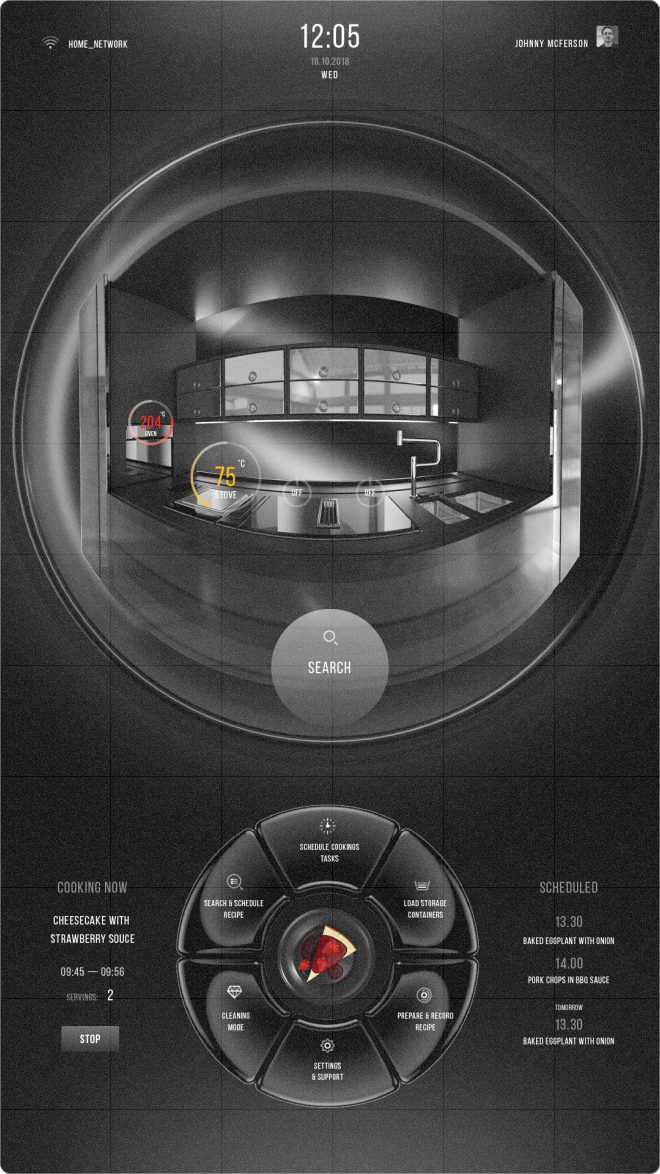
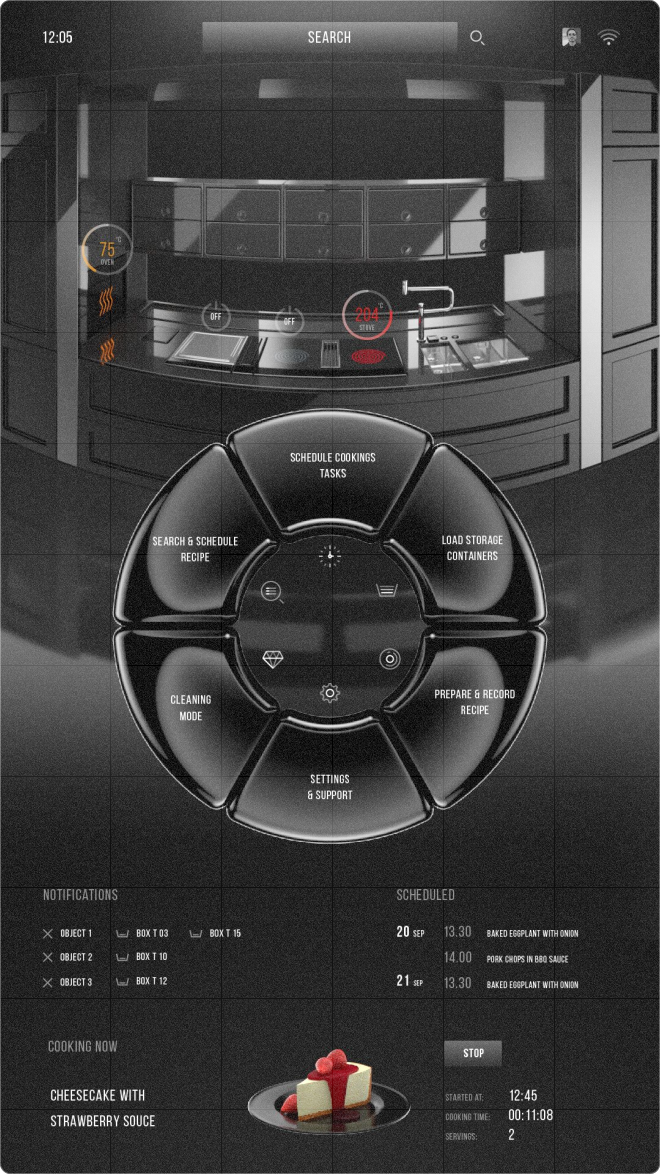
A couple more options, and voila...
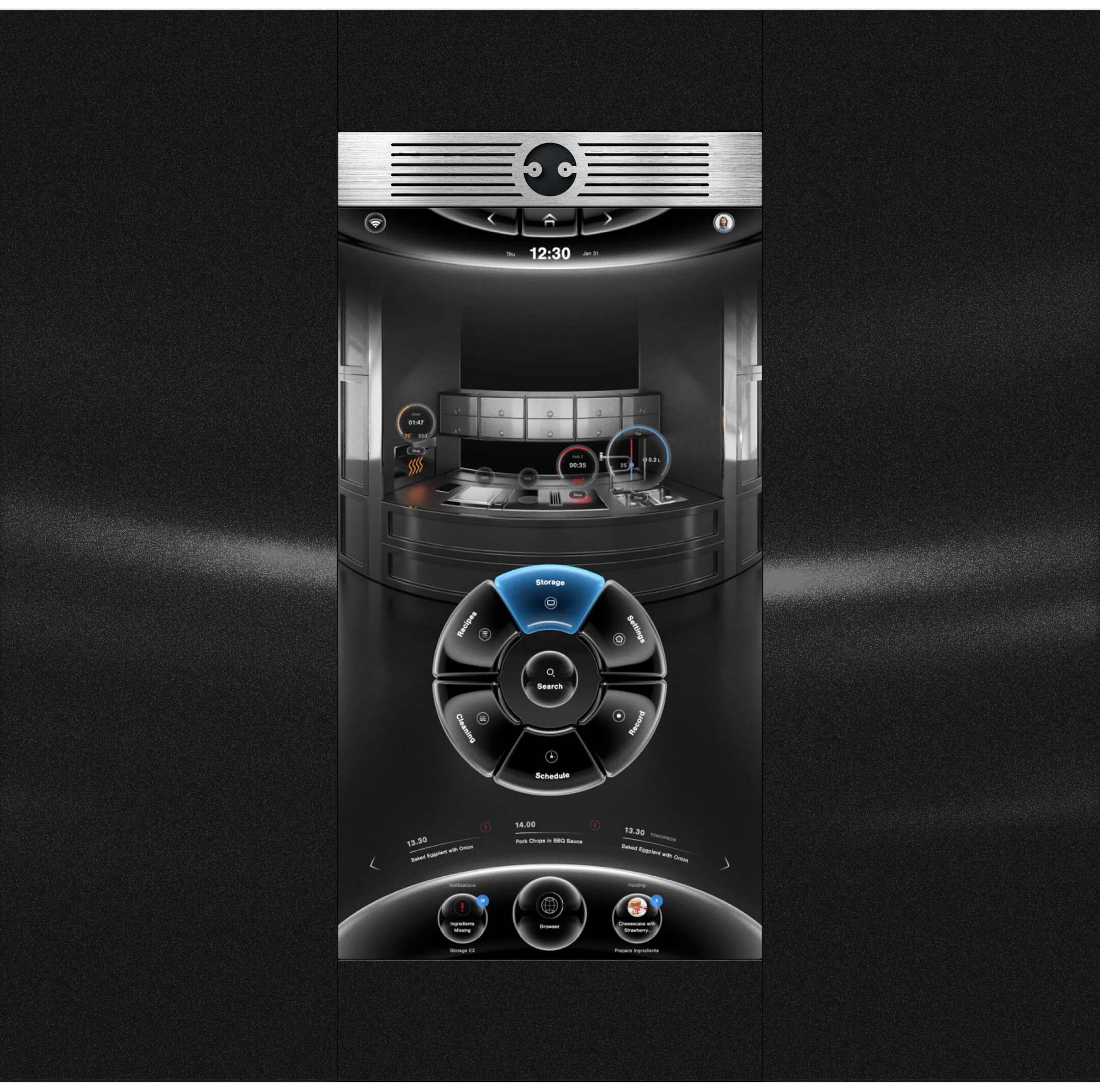
Upper part of the screen occupied with a virtual copy of the real kitchen. It reproduces every action that happens in the physical kitchen
Lower part of the screen reserved for notifications and quick access to ongoing processes.
Something like minimized tasks in operating systems.
It is possible to work with the virtual kitchen directly from the screen — to see what ingredients are in storage, where the pan or pot is, and all of that the kitchen sees and recognizes with it’s monitoring system.
It also displays data from the cooker, tap, and oven sensors. It's pretty cool.
02. Prototypes and documentation
Describe, describe, and... describe
The document that was given to us contained 40 pages of processes description. And the one we re-wrote reached 60.
There were really a lot of use cases, and each one was a little challenge for us. As an example, let's look at the flow of working with refrigerators in a virtual kitchen:

A case study of working with storage in a virtual kitchen
The user arrives home with groceries and wants to organize them in the storage, allowing the kitchen to know their location and be ready for action.
They take containers out, add ingredients, weigh them using the built-in scales, and place them back.
The kitchen automatically identifies the container, matches it with the remembered weight, and the user selects the ingredient on the screen. That’s it!
Sounds pretty easy, here's the scheme..

And before we’ll move to the next chapter, here are some more user-flows
Schedule cooking
Recipe preparation
recipes search/details
03. Voice control
Open sesame
During the early stages of the design process, it was clear enough that voice control would make the work with the kitchen substantially easier, so right after the interface was done, we moved to VUI (Voice User Interface).
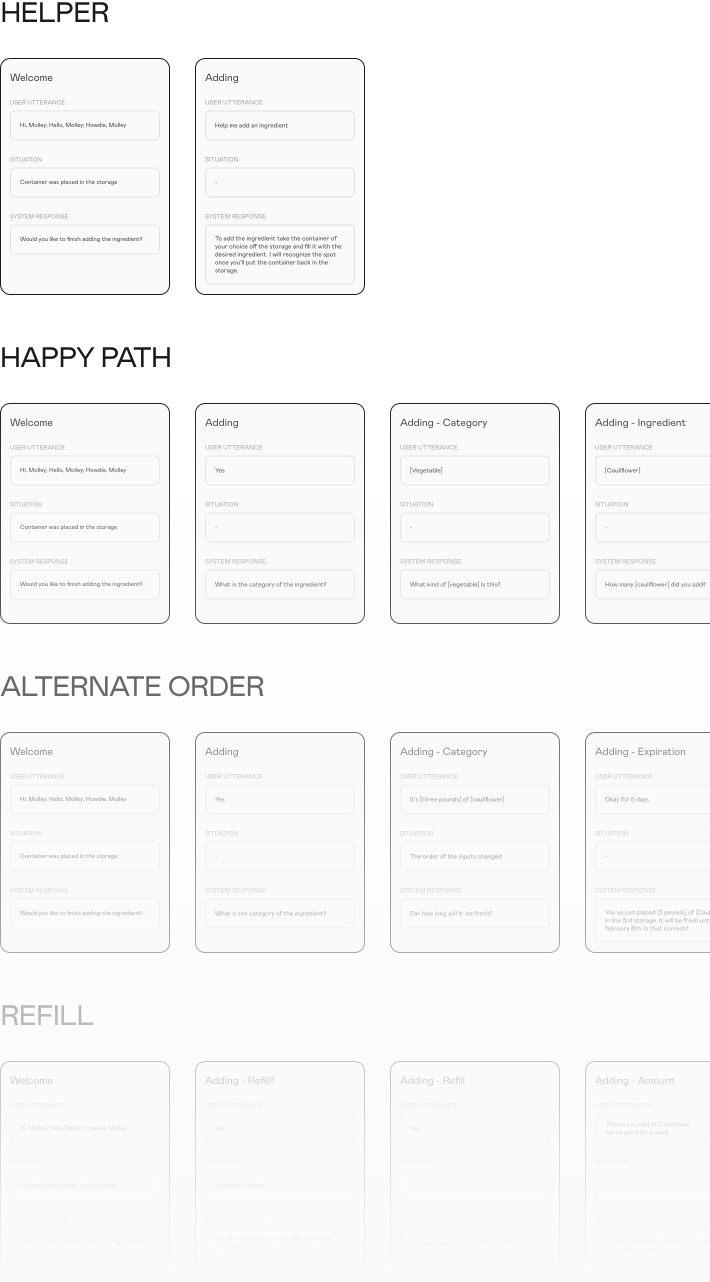
It was the first time we were building VUI, and to be honest, we had no idea how it works from the inside. After days of research, we've stumbled across the USR prototyping system, which basically describes user-system dialogue with cards containing three fields: user utterance, situation, and system response.
And so we started to write down cases, utterances, situations, and responses. There were more than 200 cards, to be more or less precise. Let’s continue with the case of working with storage and take a look at how it was designed:
We were intended to put all of the designed cards next, but it looked too boring and felt almost endless all-in-all. Trust us, enough is enough...
04. DEVELOPMENT
It's Alive!
We had a choice between Unity and QT technologies. Unity was gaining momentum; there were (and still are, haha) many developers, and more are expected.
And so we had the first version done for CES 2021. We did it in just under 6 months; all the basic functionality for the presentation was developed and tested.
They sent us a touch-screen all the way from the UK to Ukraine, so we were able to do proper testing. Everybody was super excited.
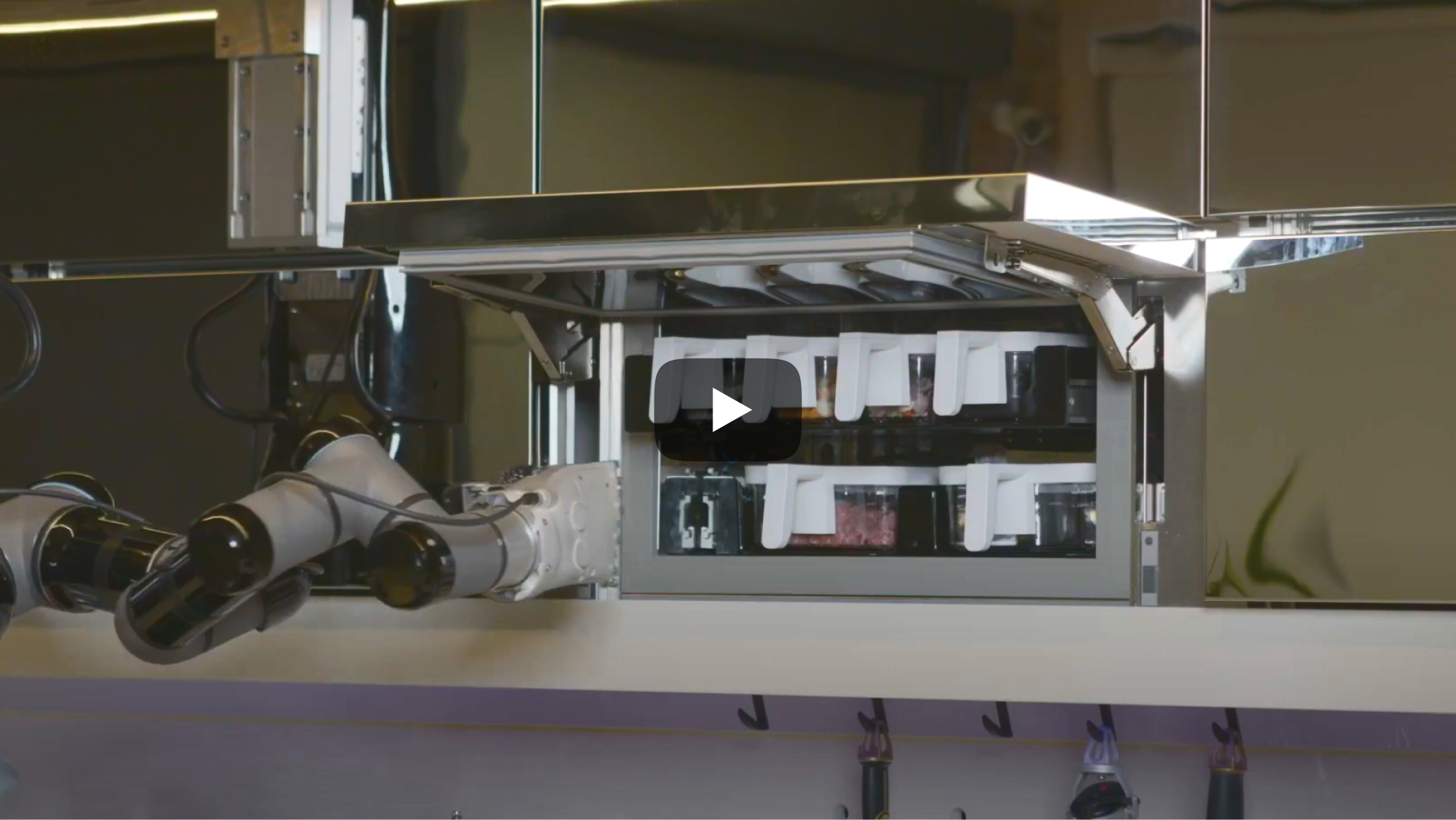
Further down, there is a video presentation from CES 2021.
05. Summary
That’s all, Folks
The collaboration with Moley Robotics was more than just a project — it was an exploration into the future of home automation and a testament to the power of creative problem-solving. As we continue to push the boundaries of what’s possible, this project will always stand as a proud example of how innovative thinking and dedication can turn ambitious ideas into groundbreaking reality.
- Project Management
- Andriy Labunskiy
- UI/UX Design
- Serge SuhanovAlexey Evdokimov Petro Ivanchenko
- 3D graphics
- Alexey Evdokimov
- Unity development
- Maxim MikhnevichAlexander Kotovschikov
- Q&A and Testing
- Volodymir Beseda